Git Operation Guidelines
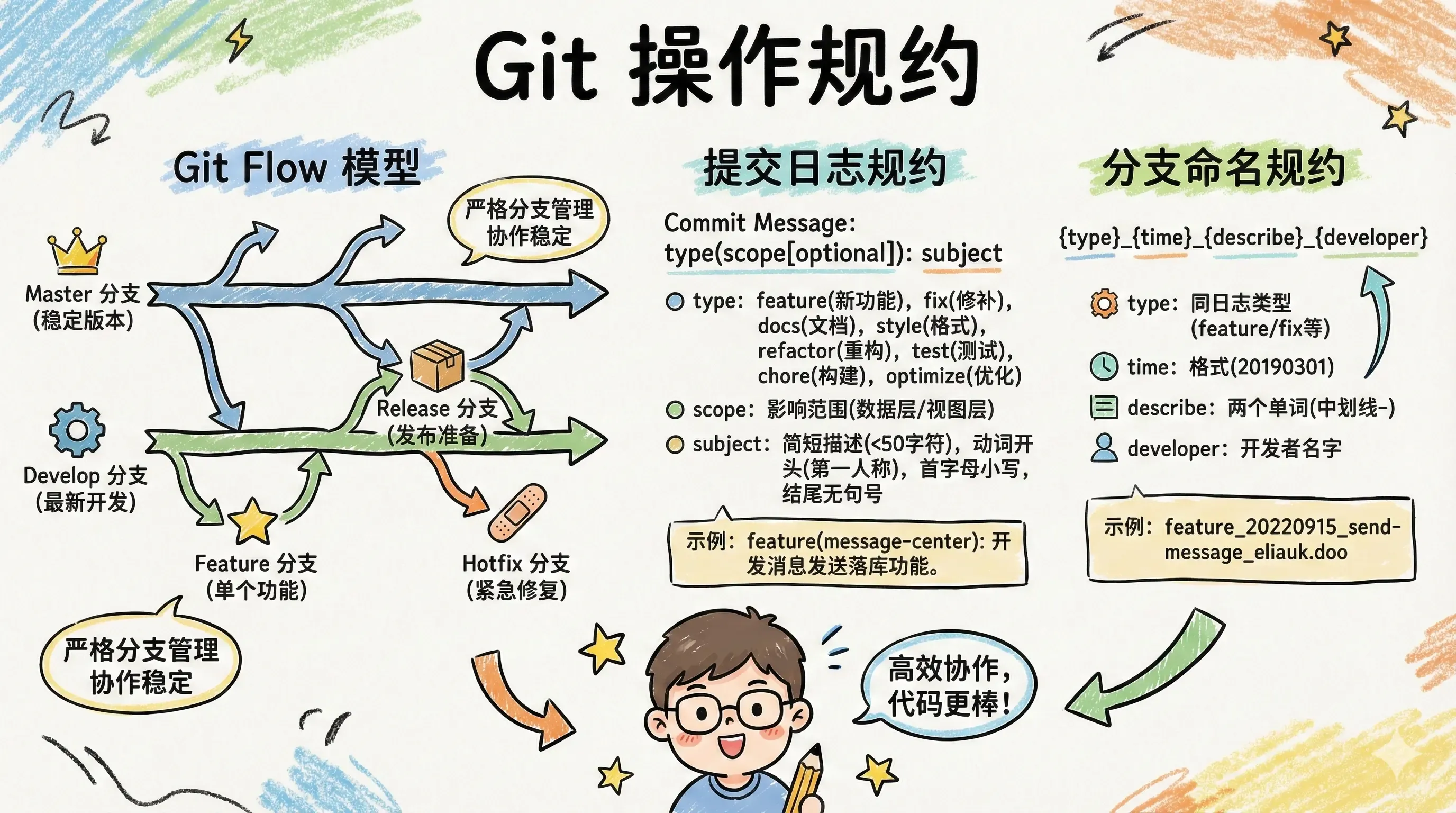
Git Operation Guidelines
Git Flow Model
Git Flow is a popular Git workflow model designed to better manage branches and version control in Git repositories. It was proposed by Vincent Driessen in a blog post and has been widely adopted.
Git Flow defines a set of strict branch naming conventions and branch purposes, enabling team members to better collaborate on software project development and management. ::
This workflow includes the following main branches:
- Master Branch: Represents the main stable version, used for releasing production environment code. Usually contains the latest releasable code that has been tested and reviewed.
- Develop Branch: The development branch containing the latest development code. All feature development, bug fixes, etc., are performed on this branch.
- Feature Branch: Used for individual feature development, typically created from the Develop branch and merged back into the Develop branch after development is complete.
- Release Branch: Used for release preparation. When enough features have accumulated on the Develop branch, a Release branch is created from Develop for final testing and bug fixes, then merged back into both Master and Develop branches.
- Hotfix Branch: Used for emergency fixes of bugs in the production environment. Created from the Master branch, and merged back into both Master and Develop branches after fixing. ::
Commit Message Conventions
1. type
feature: New featurefix: Bug fixdocs: Documentationstyle: Formatting (changes that don’t affect code execution)refactor: Refactoring (code changes that neither add features nor fix bugs)test: Adding testschore: Changes to build process or auxiliary toolsoptimize: Optimization ::
2. scope
Scope is used to describe the range affected by the commit, such as data layer, control layer, view layer, etc., which varies by project.
3. subject
Subject is a brief description of the commit purpose, no more than 50 characters.
- Start with a verb, use first person present tense, e.g., change, not changed or changes
- First letter lowercase
- No period (.) at the end ::
Example:
feature(message-center): develop message sending database storage feature
# or
feature: develop message sending database storage feature
Branch Naming Conventions
1. type
feature: New featurefix: Bug fixdocs: Documentationstyle: Formatting (changes that don’t affect code execution)refactor: Refactoring (code changes that neither add features nor fix bugs)test: Adding testschore: Changes to build process or auxiliary toolsoptimize: Optimization ::
2. time
- Format:
20190301
3. describe
For example, message sending: send-message. Try to describe clearly with two words, multiple words separated by hyphens (-).
4. developer
Recommended to fill in the developer’s name, e.g., eliauk.doo
Example:
feature_20220915_send-message_eliauk.doo